10 AI Agents Use Cases for Shopify Growth in 2026
By Arthur Falcone · Founder of Arlo
It's Monday morning. Shopify says sales dipped. Meta says one campaign is fine and another is wasting money. Klaviyo shows a flow underperforming. Google Analytics adds another layer of noise. You have plenty of data and no spare hour to sort signal from distraction.
AI agents help by taking on the work founders keep postponing. They pull data from the tools you already use, flag what changed, explain why it matters, and recommend the next move. The point is not to add more software. The point is to cut manual analysis and speed up revenue decisions.
For a busy Shopify founder, the right question is not, "How do I use AI?" It is, "Which agent should I set up first to save time or grow revenue this month?" That is the angle of this guide. You are not getting a generic list of AI ideas. You are getting an ecommerce-first playbook that prioritizes the highest-value use cases and breaks each one into a practical action plan: what it does, the value, how to implement it, and the quickest win.
Start with agents that sit closest to money. Reporting. Segmentation. Prioritization. Email optimization. Then expand into retention, merchandising, CRO, and forecasting once the basics are working. If you need a clearer foundation before choosing a use case, this guide to ecommerce analytics for Shopify teams will help you clean up the inputs first.
A good AI agent setup should answer three things fast: what changed, why it changed, and what to do next. If it cannot do that, it is a toy. If it can, it becomes part of how you run the business.
#Table of Contents
- 1. Automated Marketing Performance Analysis & Reporting
- 2. Customer Behavior Segmentation & Predictive Targeting
- 3. Revenue-Driven Action Item Prioritization
- 4. Automated Email Campaign Optimization
- 5. Product Performance & Recommendation Analysis
- 6. Website Conversion Rate Optimization & UX Recommendations
- 7. Ad Spend Efficiency & Campaign Management Automation
- 8. Customer Lifetime Value Prediction & Retention Marketing Automation
- 9. Competitive Analysis & Market Intelligence Automation
- 10. Financial Forecasting & Revenue Projection Automation
- Top 10 AI Agent Use Cases Comparison
- From Insights to Action Implementing Your First AI Agent
#1. Automated Marketing Performance Analysis & Reporting
The fastest win for most Shopify founders is an agent that answers one question clearly. What's driving revenue right now?
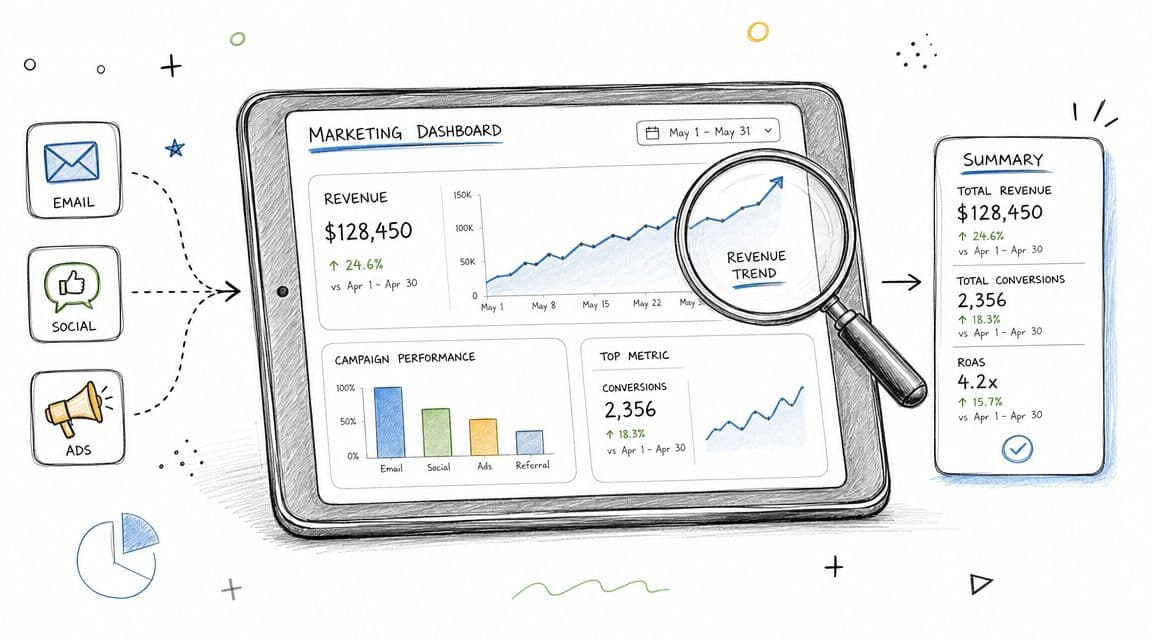
You're likely checking multiple dashboards, seeing different attribution views, and trying to reconcile email performance with paid social, search, and on-site conversion. An AI reporting agent cuts through that. It pulls signals from your stack, summarizes what changed, and highlights the few decisions that matter this week.
A strong example is Arlo's weekly reporting style for Shopify brands, which turns raw store performance into plain-language recommendations. If you want a sense of how operators think about this workflow, this guide to ecommerce analytics for founders is a useful reference point.
#What to set up first
Before you trust any agent output, clean up the inputs. Make sure your UTMs are consistent, your channel naming matches across platforms, and your core conversion events are firing correctly. If the underlying data is sloppy, the agent will summarize confusion faster.
Then give the agent a narrow job. Ask it to produce one weekly report with changes in traffic quality, customer acquisition efficiency, email contribution, and top product movement. That's enough to save time without flooding you with commentary.
Practical rule: Start with analysis before execution. Let the agent explain performance for a few weeks before you let it trigger spend changes or campaign edits automatically.
Real-world examples in this category include HubSpot's AI-powered reporting, Google Analytics 4 insight layers, and Klaviyo performance summaries. The best setup isn't the one with the most charts. It's the one your team reads every Monday.
#2. Customer Behavior Segmentation & Predictive Targeting
You already have the signals. You just do not have time to sort through them fast enough.
A founder logs into Shopify, Klaviyo, and GA4, sees repeat visitors piling up, cart abandoners bouncing between product categories, and one-time buyers going quiet. Then the day gets hijacked by inventory, support, and paid media. Segmentation slips. Campaigns stay broad. Revenue leaks from audiences you could have converted with better timing and a more relevant message.
That is why this is one of the highest-priority ai agents use cases for ecommerce brands. A good agent turns messy behavior into clear audiences you can market to. It should identify who is close to a first purchase, who is likely to buy again, who is drifting away, and which channel each group responds to.
Use this four-part filter for every segment the agent creates:
- What: Define the audience by behavior, not vague persona labels. Recent category viewers, likely second-order buyers, at-risk subscribers, and high-value customers with falling engagement are useful starting points.
- Value: Tie the segment to one revenue outcome. More first purchases, more repeat orders, lower churn, or better campaign efficiency.
- Implementation: Push the segment into the tools you already run, such as Klaviyo or Attentive, and connect it to a specific flow, campaign, or offer.
- Quick Win: Start with one high-intent group, usually recent product viewers who have not purchased, and launch one targeted message sequence this week.
This keeps segmentation from becoming an academic exercise.
#How to make segments useful
Start with behavior you can act on now. Build around recent buyers, likely repeat buyers, at-risk customers, and high-intent non-buyers. Those groups are simple enough to validate and strong enough to move revenue if the messaging is right.
Then pressure-test the agent instead of handing it your retention strategy on day one. Run it on a small subset of customers and compare its recommendations against your current campaign logic. If it consistently surfaces cleaner win-back pools, stronger cross-sell opportunities, or better timing windows, expand its scope.
A few rules matter here:
- Use baseline segments first: Recency, frequency, and order value still do the heavy lifting. Let the agent refine those groups with browsing and engagement signals.
- Tie every segment to one action: If a segment does not trigger a flow, suppression rule, offer, or campaign, cut it.
- Review results monthly: Judge segments by downstream performance, such as conversion quality and repeat purchase behavior, not by how elaborate the labels sound.
If you want a practical reference, this customer segmentation example for ecommerce brands shows what useful segments look like in practice.
Direct recommendation. Set up three to five segments max, attach each one to a live campaign, and review revenue impact after 30 days. Busy Shopify founders do not need more audience theory. They need segments that earn their place.
#3. Revenue-Driven Action Item Prioritization
You open Shopify in the morning, then your ad dashboard, then Klaviyo, then analytics. By 10 a.m., you already have 20 things you could work on and no clear answer on which one will protect revenue first. That is the core problem. Not lack of data. Lack of decision order.
For a busy founder, one of the best ai agents use cases is turning scattered signals into a short, ranked action queue tied to money. The agent should tell you what to fix now, what to test next, and what can wait. That means recommendations like cut spend on a slipping campaign, repair a broken post-purchase flow, push a bundle with rising attach rate, or investigate a product page where mobile conversion just dropped.
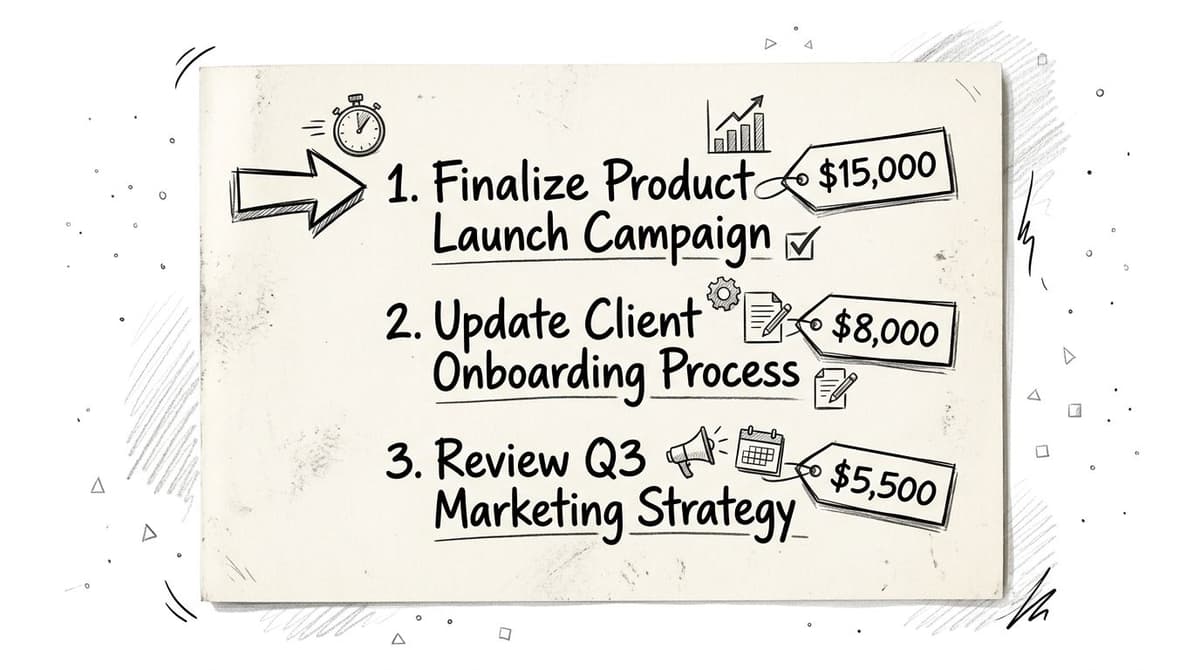
A good agent does more than flag anomalies. It ranks work by likely revenue impact, confidence, and effort. That is how you stop wasting prime operating time on low-value cleanup while bigger leaks stay open.
#A practical operating model for Shopify founders
Use this four-part filter for every recommendation your agent produces:
What: The exact action. Pause campaign X. Fix checkout error on mobile Safari. Raise visibility for bundle Y.
Value: The expected business effect. Protect conversion, recover abandoned revenue, raise average order value, or improve repeat purchase rate.
Implementation: Who owns it, what tool it touches, and how long it should take. If nobody can execute it this week, it does not belong at the top.
Quick Win: The fastest version you can ship in 24 to 72 hours to confirm the opportunity before committing more time.
Then sort those actions into three buckets: revenue protection, near-term growth, and cleanup. Review bucket one first, every week, without exception.
Keep the agent on a short leash. Require a plain-English rationale for every priority. If it cannot explain the trigger, the expected upside, and the recommended next step in one tight paragraph, ignore it. Oracle's overview of AI agent use cases in high-stakes environments supports the same operating principle: constrained, auditable recommendations beat vague automation. The same rule applies in ecommerce.
Do not ask an agent for ideas. Ask for the next three actions most likely to move revenue this week.
Here is the standard I recommend. If an action is not tied to a revenue metric, assigned to an owner, and small enough to test fast, it should not make the list. Tools like Arlo's ranked action lists, Triple Whale notifications, and attribution platforms with alerting can help, but the tool is not the strategy. The strategy is disciplined prioritization.
Direct recommendation. Start with one weekly report that outputs five actions max. Force the agent to score each one by impact, confidence, and effort. Then spend 30 minutes in review and pick the top two. Founders do not need more findings. They need a system that tells them what to do first, and why.
#4. Automated Email Campaign Optimization
Monday morning. You open Klaviyo, see a weekend campaign underperform, and then lose 45 minutes arguing with yourself about the cause. Was it the segment, the send time, the offer, or the subject line? Founders do this every week because email produces too much data and too many decisions for the time they have.
An email optimization agent cuts that decision load. It reviews opens, clicks, conversions, flow performance, and subscriber behavior, then points to the few changes worth testing first. For a Shopify brand, that usually means better send timing, tighter audience selection, cleaner flow logic, and fewer one-off campaigns that clutter the calendar.
Treat this as an ecommerce retention system, not a copy toy. Copy matters, but busy founders get faster wins from fixing who receives the email, when it lands, and which flow deserves attention. Start there.
#What this use case looks like in practice
What: Use an agent to monitor campaign and flow performance, flag drops, recommend send-time changes, tighten segments, and suggest tests for key automations such as abandoned cart, browse abandonment, post-purchase, replenishment, and win-back.
Value: You recover revenue from the list you already own. You also cut wasted sends, reduce team guesswork, and spend less time staring at dashboards that do not tell you what to change.
Implementation: Connect your email platform, store data, and purchase history first. Give the agent a narrow job. Rank underperforming flows by revenue impact, identify segment fatigue, and recommend one test per flow each week. Keep approval with a human, especially for copy and brand voice.
Quick Win: Start with your abandoned cart and win-back flows. Ask the agent to recommend a better send window, suppress disengaged subscribers, and split high-intent shoppers from casual browsers. Those changes are usually faster and safer than asking AI to write every email from scratch.
#Where founders should start
Start with send-time optimization and segment selection. Those two levers usually improve results faster because they affect relevance and delivery before you touch creative.
After that, move to flow optimization. Ask the agent which sequence has the biggest gap between traffic and revenue. Then fix one flow at a time. Do not spread attention across your full calendar.
Use this rollout:
- Phase one: Improve send timing, exclusions, and audience selection.
- Phase two: Test subject lines, offer structure, and email sequence order.
- Phase three: Draft first-pass copy for flows with clear intent, then edit it hard to match your brand.
If you use Klaviyo, Omnisend, Mailchimp, or ConvertKit, start with the AI features already inside the platform. Founders do not need another dashboard. They need a short weekly recommendation list tied to revenue.
One rule matters most. Do not let the agent optimize for opens alone. Ask it to optimize for placed order rate, revenue per recipient, unsubscribe rate, and flow-level conversion. Opens can flatter weak email programs. Revenue does not.
#5. Product Performance & Recommendation Analysis
Some products look healthy because they sell. But they may be dragging margin, driving returns, or cannibalizing stronger SKUs. A product analysis agent helps you see the full picture without manually sorting through exports.
This use case works best when the agent looks across product sales, return patterns, review themes, inventory movement, and merchandising placement. Then it recommends actions you can take. Promote this SKU. Bundle these two products. Rework this PDP. Reduce attention on a product that gets traffic but weak conversion.
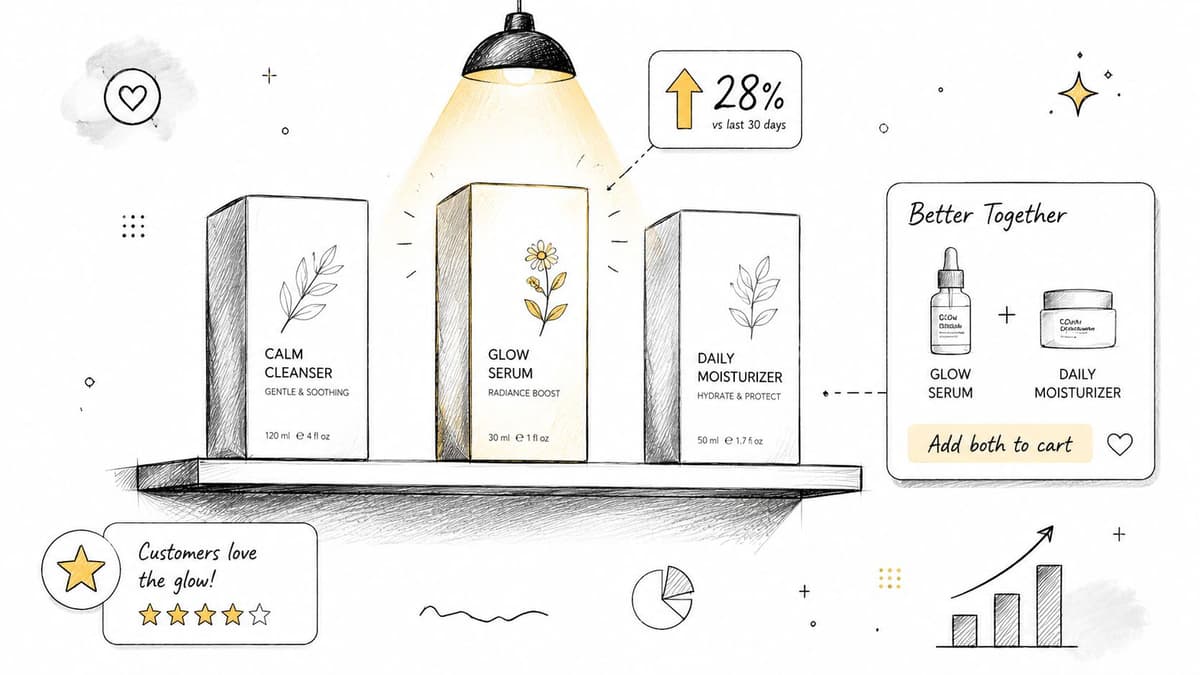
The key is context. A product agent shouldn't only read yesterday's sales. It should compare behavior across channels and customer types. A hero product may acquire new customers well while a different SKU drives repeat orders. Those are different jobs. Your merchandising should reflect that.
#What to watch every month
Do one monthly review centered on decisions, not reporting. Ask your agent for four outputs only: products to feature, products to fix, products to bundle, and products to de-emphasize.
Then validate those suggestions with your team's lived experience. If customer support keeps hearing the same complaints that the agent flags in reviews or returns, you've got a real signal. If the agent keeps recommending a product your operators know has supply risk, override it.
The most useful product agent behaves like a sharp merchandiser with spreadsheet discipline.
Shopify reporting, Triple Whale product views, Littledata, and Databox can all support parts of this workflow. The win isn't just better analysis. It's faster product decisions with less guesswork.
#6. Website Conversion Rate Optimization & UX Recommendations
You open Shopify after a long day and see the same frustrating pattern. Traffic is fine. Add-to-carts happen. Revenue still stalls because buyers hit friction you do not have time to hunt down page by page.
An AI agent for CRO should do one job well. Find the specific moments where intent breaks, then recommend fixes your team can ship this week.
That means pulling together session recordings, heatmaps, funnel drop-off, page speed issues, on-site search behavior, and device-level conversion trends. Then it needs to turn that mess into a prioritized action plan for a busy founder.
Here's a useful visual explainer on how teams think about AI and conversion workflows:
#A practical CRO agent playbook for Shopify founders
What: Audit the buying journey across homepage, collection pages, PDPs, cart, and checkout, then surface the highest-impact UX fixes.
Value: You stop guessing which design tweaks matter. Your team gets a short list tied to conversion loss, not opinions from Slack.
Implementation: Connect behavior tools, Shopify analytics, and your checkout data. Require every recommendation to include evidence, affected device type, likely revenue impact, and estimated effort. If the agent flags weak mobile PDP conversion, it should show the recordings, the drop-off point, and the page element creating hesitation.
Quick win: Start with mobile product pages, cart, and checkout. That is usually where hidden friction costs the most money.
#How to keep recommendations grounded
Do not accept vague advice like “improve trust” or “simplify UX.” Require the agent to name the exact issue. Shipping details too low on the page. Size guidance buried below reviews. Sticky add-to-cart missing on mobile. Coupon field distracting buyers in checkout.
Good agents also need context across systems. A CRO recommendation is stronger when it combines behavioral evidence with campaign intent, product margin, and landing page source. That is why stores running paid traffic should connect UX analysis to their acquisition strategy. If you want a better framework for that connection, read this guide to advertising in e-commerce.
Riseup Labs makes a useful point in its article on AI agents use cases across dynamic workflows. The best agents pull context from multiple business systems and re-check incomplete information before recommending action. That fits CRO work well because conversion problems rarely live in one dashboard.
Use tools like Lucky Orange, Hotjar-style behavior tools, Unbounce, or Instapage to gather inputs. Then have the agent rank fixes by impact and effort. Start with changes that remove hesitation close to purchase. Clearer shipping and returns copy, stronger mobile CTA placement, fewer competing blocks on PDPs, and cleaner checkout paths usually beat a full redesign.
#7. Ad Spend Efficiency & Campaign Management Automation
You check Meta at 11 p.m., see spend climbing, and still cannot tell which campaigns are producing profitable orders. Shopify says one thing. The ad platforms say another. By the time you sort it out, you have already paid for another day of weak traffic.
An ad efficiency agent fixes that operational gap. It watches account-level spend, campaign performance, audience saturation, and creative decay in one place. Then it turns that noise into a short list of actions you can approve fast.
For Shopify founders, this use case only matters if it is tied to profit, not vanity metrics. Keep the framework simple.
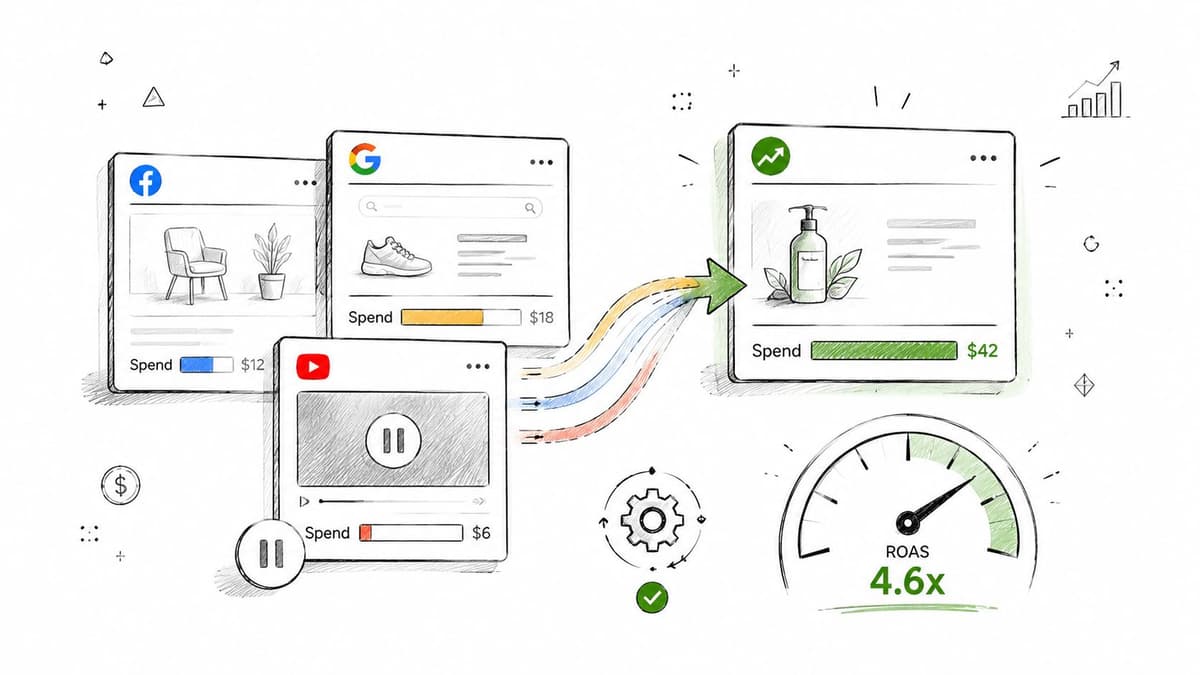
What: Monitor paid channels daily, detect waste early, and recommend budget shifts, creative swaps, audience exclusions, or campaign pauses.
Value: You cut wasted spend sooner, protect margin, and stop judging campaigns on click data that never turns into healthy contribution profit.
Implementation: Connect Meta, Google, Shopify, and your attribution layer. Feed the agent CAC targets by product line, break-even ROAS thresholds, inventory status, and promo calendar context. If you need a tighter framework for that setup, read this guide to advertising in e-commerce.
Quick Win: Start with alerting and recommendations only. Have the agent flag ad sets with rising CPA, falling conversion rate, or clear creative fatigue for 7 days. Review those suggestions manually before you let it change budgets.
#Guardrails before automation
Do not hand over budget control without rules. Set acceptable CAC ranges, minimum conversion thresholds, spend caps, and escalation triggers for sudden spikes. Otherwise the agent will optimize for unstable signals and create more work for you.
Use Facebook automated rules, Google campaign automation, Northbeam, or Triple Whale-style monitoring to support the workflow. Keep the agent focused on decisions that are frequent, repetitive, and easy to audit.
- Review before full auto: Start with approve-or-reject recommendations.
- Protect learning periods: Do not pause campaigns before they have enough data to judge.
- Tie spend to operations: Budget shifts should reflect inventory risk, margin by SKU, and what email or retention channels are already doing well.
That is the standard. If your agent cannot explain why it wants to move budget, do not let it touch your account.
#8. Customer Lifetime Value Prediction & Retention Marketing Automation
You look up at the end of the month, revenue is decent, and acquisition looks busy. Then you notice the underlying problem. Repeat purchase rate is slipping, your best customers are going quiet, and nobody on the team has time to figure out who needs attention first.
That is exactly where an AI agent earns its keep for a Shopify brand.
Customer lifetime value prediction is not a reporting exercise. It is a retention triage system. The agent identifies which customers are likely to buy again, which ones are drifting, and which profitable buyers are at risk right now. Then it routes each group into the right follow-up: replenishment reminders, onboarding education, loyalty prompts, support check-ins, or win-back flows.
As support expectations rise, retention has to get faster and more relevant. Seller's Commerce reports that 81% of customers prefer self-service options powered by AI before contacting a human, and projects that AI will handle 80% of all customer interactions by 2030. The exact timeline matters less than the operating point. Customers expect timely, personalized interactions, and retention programs need to match that standard.
#A practical retention playbook for busy founders
Use this in four parts.
What: Score customers by predicted lifetime value, reorder probability, time-to-next-purchase, and churn risk.
Value: Your team stops treating every inactive customer the same. You protect margin, focus support where it can save revenue, and put retention spend behind buyers who are still worth winning back.
Implementation: Start with the signals you already have in Shopify and Klaviyo. Order count, average order value, days since last purchase, product category bought, subscription status, support history, and email engagement are enough to build useful rules. Then map actions by segment. High-LTV customers with falling engagement should get a human-quality check-in or product guidance. Recent first-time buyers should get education and usage content. Replenishable-product buyers should get timed reminders tied to expected consumption, not generic campaigns.
Quick Win: Build one simple flow for customers who bought twice, have not reordered within the expected window, and still open emails. Send a replenishment or product-fit sequence before you offer any discount.
#Retention actions that stay profitable
Discounting is the lazy answer. It trains customers to wait and cuts into the margin you need to reinvest.
Match the action to the customer state instead:
- First-order customers: Send education, setup help, and proof they made the right purchase.
- Repeat buyers: Trigger replenishment or cross-sell messages based on what they purchased.
- High-value customers with soft engagement: Prompt support outreach, VIP treatment, or a product-fit review.
- At-risk discount buyers: Cap incentives and test smaller offers before larger win-back promos.
Klaviyo's predictive features, Shopify cohort reporting, and subscription health scoring tools can support this workflow. The tool matters less than the decision logic. Your agent should help you keep profitable customers longer, not chase low-quality repeat orders.
A retention agent should protect contribution margin and future cash flow.
Review outcomes every quarter. Compare predicted value, saved customers, discount cost, and actual repeat behavior. If the agent keeps recommending promos to low-margin segments, change the rules. Founders do not need more retention dashboards. They need a system that tells the team who matters, what to do next, and when to leave a customer alone.
#9. Competitive Analysis & Market Intelligence Automation
You are already buried in data. The problem is not access. It is deciding what deserves a response before another week slips by.
For a Shopify founder, competitor research usually happens at the worst time. Sales dip, CAC rises, or a hero product slows down, and then someone starts checking rival sites by hand. That reactive habit costs time and leads to bad decisions. You end up copying a discount, chasing a bundle trend, or overreacting to a campaign that does not matter.
A market intelligence agent fixes that by turning scattered competitor signals into a short operating brief. It watches direct rivals for pricing changes, product launches, merchandising pushes, offer structure, and messaging shifts. Then it ranks what matters by likely revenue impact, so your team can respond with discipline instead of panic.
Blue Prism's 2025 enterprise AI survey found that organizations are already adopting agentic AI for repetitive operational work and planning broader rollout over the next year. Competitive monitoring is a strong fit because it is repetitive, easy to ignore, and expensive to do inconsistently.
#A practical playbook for busy founders
Use this use case as a decision system, not a spying exercise.
What: Monitor 5 to 10 direct competitors and a small set of adjacent substitutes across price, promotions, category focus, launch cadence, and positioning.
Value: You catch meaningful shifts early without assigning someone to manual checks every week. You also avoid knee-jerk reactions that hurt margin.
Implementation: Set clear rules for what counts as an alert. A 5% one-day discount is noise. A three-week price cut on a top competing SKU is worth reviewing. A homepage headline change is noise unless it signals a clear repositioning. Repeated bundle offers, subscription pushes, and category expansion deserve attention.
Quick Win: Start with one category that drives a large share of revenue. Track competitor pricing, offer structure, and launch timing for 30 days. Have the agent send one weekly summary with only three recommendations: respond now, monitor, or ignore.
#What to monitor
Keep the signal set tight.
- Pricing moves: Flag sustained discounts, price hikes, and changes on comparable bestsellers.
- Promotional patterns: Watch threshold offers, bundles, subscription incentives, and gift-with-purchase campaigns.
- Merchandising shifts: Identify when a competitor starts pushing a category harder through collection placement, hero banners, or bestseller sorting.
- Message changes: Track new claims, audience targeting, product benefits, and value proposition updates.
- Launch cadence: Measure how often they release new products, kits, or seasonal variants.
Tools like Similarweb, SEMrush, and Brandwatch can help gather pieces of this. The agent's job is to explain the business implication. Should you protect margin and hold position, test a counteroffer, refresh merchandising, or do nothing at all? Busy founders need that judgment layer. Raw alerts just create another dashboard to ignore.
#10. Financial Forecasting & Revenue Projection Automation
It's Monday morning. You have inventory to reorder, payroll coming up, and ad spend decisions to make. Your spreadsheet still says you are on plan, but last week's blended CAC climbed, repeat rate softened, and two top SKUs started slowing down. That gap is how founders get blindsided.
A forecasting agent gives you a current operating view, not a month-old finance file. It pulls Shopify sales, channel spend, seasonality, promotions, and retention trends into one forecast you can use to make decisions this week.
For a busy Shopify founder, the value is simple. You get earlier warnings on cash pressure, cleaner inventory planning, and better timing on spend cuts or growth bets. This use case matters because bad forecasts create expensive second-order problems. You overbuy stock, hire too early, or keep spending against a plan that is already broken.
#What to build
Set up the agent to produce four outputs:
- A rolling revenue forecast: 4, 8, and 13 weeks.
- Three scenarios: conservative, base case, and upside.
- Driver-level explanations: conversion rate, average order value, new customer volume, repeat purchase rate, refund rate, and paid media efficiency.
- Exception alerts: notify you only when the forecast changes enough to require action.
That last part matters. Do not ask the agent to report every movement. Require thresholds. For example, alert only if projected month-end revenue drops far enough to affect cash, inventory, or payroll decisions.
#Why this use case works
Forecasting is not a finance exercise for later. It is an operating system for the next decision.
If the agent shows revenue slipping because new customer volume is down, you adjust acquisition. If the issue is repeat rate, you shift to retention offers and replenishment flows. If the issue is AOV, you test bundles or merchandising changes. The point is not to admire the forecast. The point is to know what to do next.
#Implementation
Keep the first version tight. Use the systems you already have.
Pull data from Shopify, your ad platforms, and your finance stack, whether that is Mosaic, Anaplan, or a simpler founder finance tool. Feed the agent historical sales, promo calendars, channel spend, inventory constraints, and basic seasonality. Then force it to show its assumptions in plain language.
Build in review rules. Large forecast changes need approval. Conflicting inputs need human review. If paid spend is flat but the agent suddenly projects a sharp revenue jump, someone should check the assumptions before acting on it.
As noted in Galileo's article on metrics for evaluating AI agents, strong agent performance depends on clear success criteria, verification, and escalation paths. Apply that standard here. A useful forecasting agent is judged by forecast accuracy, assumption quality, and whether its alerts led to better operating decisions.
#Quick Win
Start with a weekly 8-week forecast for one store. Track only six drivers: sessions, conversion rate, AOV, new customers, repeat customers, and ad spend. Have the agent send one summary every Monday with three parts: projected revenue, the top driver behind the change, and the one decision you should make now.
Then review accuracy every month. If the agent keeps missing on one input, fix that input. Do not keep polishing dashboards that produce bad calls.
#Top 10 AI Agent Use Cases Comparison
| Use case | Implementation 🔄 Complexity | Resource ⚡ Requirements | Expected outcomes 📊 | Ideal use cases 💡 | Key advantages ⭐ |
|---|---|---|---|---|---|
| Automated Marketing Performance Analysis & Reporting | Medium, integrates multi‑channel data, needs tracking hygiene | Moderate, data pipelines, dashboards, weekly reviews | Consolidated performance reports, anomaly & trend detection, prioritized opportunities | DTC founders needing fast, cross-channel visibility | Saves analyst time, consistent insights, revenue-focused synthesis |
| Customer Behavior Segmentation & Predictive Targeting | High, requires modeling, continuous retraining, privacy controls | High, rich customer data, CRM/ESP integration, monitoring | Dynamic segments, conversion propensity, churn signals | Personalization at scale, retention and acquisition targeting | Improves ROI, enables hyper‑personalization, reduces wasted spend |
| Revenue‑Driven Action Item Prioritization | Medium, aggregating signals and scoring opportunities | Moderate, cross‑source metrics and a simple tracking process | Ranked, revenue‑quantified action list with urgency scores | Founder-led teams needing clear next steps and triage | Cuts decision paralysis, focuses on highest ROI actions |
| Automated Email Campaign Optimization | Medium, ESP integration and A/B testing workflows | Moderate, email platform, content variants, testing cadence | Higher open/click rates, better deliverability, increased email revenue | Subscription and repeat‑purchase brands where email drives revenue | Automates testing & send times, boosts revenue per subscriber |
| Product Performance & Recommendation Analysis | Medium, product/transaction/review data integration | Moderate, inventory, returns, and review datasets | SKU-level revenue/margin insights, bundling & discontinuation recommendations | Merchandising, assortment optimization, inventory reduction | Identifies revenue leaks, surfaces high‑margin SKUs, optimizes mix |
| Website Conversion Rate Optimization & UX Recommendations | Medium‑High, heatmaps, session recordings, funnel metrics | Moderate, analytics tooling and dev resources to implement fixes | Reduced drop‑offs, higher conversion rates, mobile/checkout improvements | Checkout/product page optimization, mobile UX fixes | Targets high‑impact UX fixes, reduces need for external CRO help |
| Ad Spend Efficiency & Campaign Management Automation | Medium, ad platform tracking and automated rules | Moderate, conversion tracking, creative assets, attribution data | Improved ROAS, budget reallocation, fewer wasted ad dollars | Brands with significant paid budgets and multi‑channel ads | Real‑time spend control, automated reallocation, creative guidance |
| Customer Lifetime Value Prediction & Retention Marketing Automation | High, CLV modeling, cohort analysis, campaign automation | High, historical purchase data, CRM/ESP integration, offer controls | Prioritized retention, reduced churn, targeted lifetime value campaigns | Subscriptions and repeat‑purchase businesses | Focuses retention spend on high‑value customers, automates win‑backs |
| Competitive Analysis & Market Intelligence Automation | Low‑Medium, monitoring setup and alert rules | Low‑Moderate, scraping/feeds, alerting, periodic reviews | Early competitor alerts, pricing/promotion monitoring, market gaps | Pricing strategy, positioning, market entry decisions | Scales competitive awareness, identifies white‑space opportunities |
| Financial Forecasting & Revenue Projection Automation | High, scenario models, variance analysis, regular recalibration | Moderate‑High, clean historicals, marketing & ops inputs | Forecasts, scenario projections, variance alerts for course correction | Financial planning, investor communications, budget setting | Data‑driven scenarios, early warning signals, supports planning decisions |
#From Insights to Action Implementing Your First AI Agent
The biggest mistake is trying to implement all ten of these at once. That usually ends the same way. Too many tools, weak adoption, and a team that goes back to manual work.
Start with the pain that wastes the most time or creates the most financial drag. If you never feel confident in your weekly numbers, begin with a marketing analysis and reporting agent. If paid media is eating budget without clear accountability, start with ad efficiency. If your brand depends on repeat purchase, retention and lifecycle automation should go first.
Keep the rollout narrow for the first 30 days. Give the agent one job, one owner, and one review cadence. Don't evaluate it on whether it sounds smart. Evaluate it on whether it helped your team make better decisions faster. Did it save reporting time? Surface a missed issue? Improve follow-through on recurring work? That's the bar.
The broader market signals are already pointing in this direction. Enterprise adoption has moved beyond pure experimentation, but the value is still concentrated in focused workflows. That's the right lesson for Shopify operators. Don't chase “AI transformation.” Build one dependable system at a time around the tasks that are repetitive, measurable, and expensive to ignore.
The strongest use cases also share a pattern. They work best when the agent is constrained. It has clear inputs, clear outputs, and clear escalation rules. Customer support works because the tasks are repetitive and structured. Reporting works because the analysis can be checked. Forecasting works when humans review major changes. The moment you expect an agent to run your business without guardrails, quality drops.
If you want a practical place to begin, use this order:
- Start with analysis: Reporting or action prioritization.
- Move into optimization: Email, ads, product, or site conversion.
- Add prediction last: Retention scoring and forecasting once the underlying data is clean.
That sequence matters because execution gets easier when the team already trusts the insights layer.
If you want one relevant option in this category, Arlo focuses on Shopify reporting and action prioritization through a weekly “20 Minute CMO” style report. For founder-led teams, that's a sensible starting point because it reduces dashboard sprawl and turns data into a small set of next actions.
You do not need a bigger AI strategy deck. You need one useful workflow running consistently every week. Pick the use case that removes the most friction from your job, implement it cleanly, and let the gains compound.
If you want a simpler way to turn Shopify, marketing, customer, and product data into weekly decisions, Arlo is built for that job. It gives founder-led brands a concise report that explains what changed, why it matters, and what to do next, without making you live in dashboards.