Master Inventory Optimization for Shopify in 2026
By Arthur Falcone · Founder of Arlo
You're probably feeling this right now. Cash is tight, a few hero SKUs are always at risk of selling out, and the warehouse is still full of products you wish you'd never reordered. Shopify says you have inventory. Your bank account says otherwise.
That's why most inventory advice misses the point. Founder-led brands don't need a graduate seminar in supply chain theory. They need a practical system that answers four blunt questions: what deserves cash, what doesn't, when to reorder, and what to liquidate before it eats margin. Good inventory optimization is cash flow management wearing operations clothes.
#Table of Contents
- Define Your Goals and Segment Your SKUs
- Build a Practical Demand Forecast You Can Actually Trust
- Set Smart Reorder Points and Safety Stock
- Prioritize Actions by Dollar Impact
- Use Inventory to Drive Growth Not Just Fulfill It
- Your Inventory Optimization Checklist and Playbook
#Define Your Goals and Segment Your SKUs
Inventory isn't a cost center. It's trapped cash. Treat it that way and your decisions get better fast.
Most operators start with the wrong question. They ask, “How much stock do we have?” The better question is, “Which products turn cash into profit fastest, and which ones are slowing the business down?” That shift matters because inventory optimization isn't about box counts. It's about capital allocation.
#Stop managing units and start managing capital
Your goals should reflect business outcomes, not warehouse trivia. For a founder-led Shopify brand, I'd keep the scorecard brutally short:
- Inventory turnover: How quickly inventory turns into sales.
- Margin contribution by SKU: Which products fund the business.
- Stockout risk on hero items: Where lost availability hurts most.
- Slow-moving inventory exposure: Which products are sitting too long.
If your team tracks only units on hand, you'll keep overbuying weak products because they “seem inexpensive.” They aren't inexpensive once they sit for months, crowd out good inventory, and force markdowns.
Practical rule: Every SKU should earn its right to stay in stock.
A simple way to start is to export a 12-month product report from Shopify and rank SKUs by gross margin contribution, not just revenue. Revenue flatters low-margin products. Margin tells you what deserves working capital.
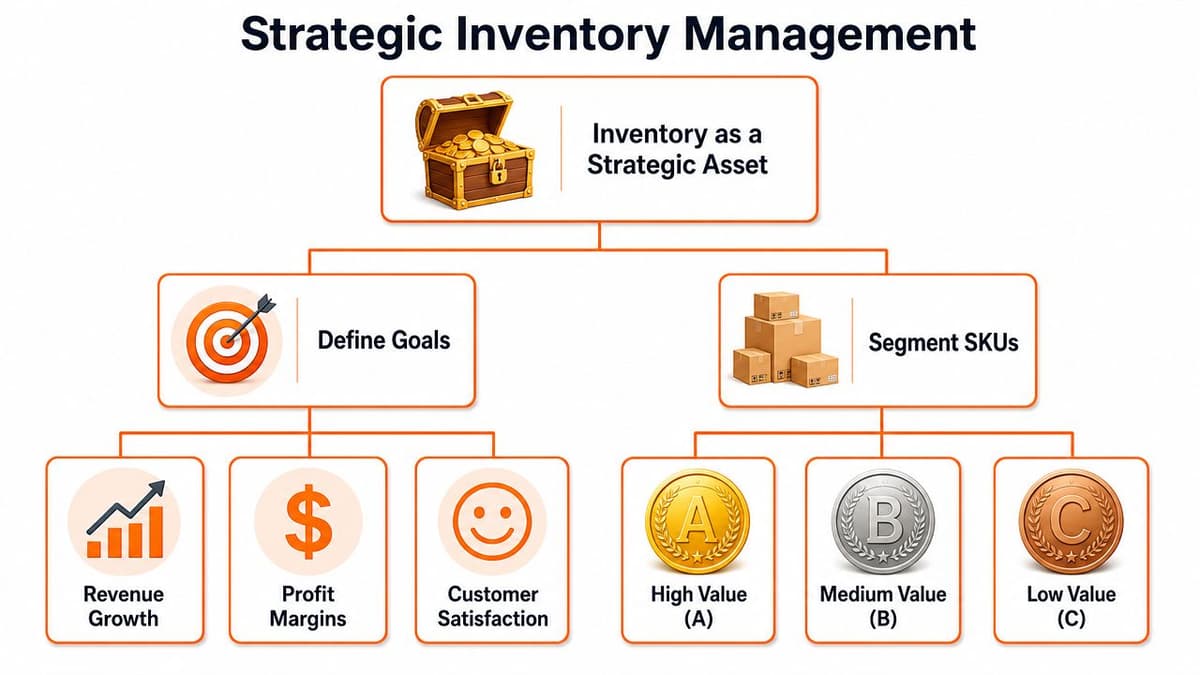
This is the visual hierarchy most brands need but rarely build:
#Run a simple ABC analysis from Shopify
ABC analysis is the first move because it forces discipline. According to Katana's inventory optimization breakdown, A-items typically make up about 10–20% of SKUs but 60–80% of total inventory value, B-items account for roughly 15–25% of SKUs and 15–25% of value, and C-items comprise 60–70% of SKUs while generating only 5–10% of value. That's exactly why treating every SKU the same is a rookie mistake.
Do this in order:
- Export sales by SKU: Pull the last 12 months from Shopify.
- Add margin data: Don't rank products on sales alone.
- Sort highest to lowest: Use annual sales value or margin contribution.
- Classify the list: Put your stars in A, your reliable contributors in B, and your long tail in C.
- Assign different rules: A-items get tighter reviews and stronger in-stock protection. C-items get leaner reorder logic and less forgiveness.
A simple version looks like this:
| SKU class | What it means | How to manage it |
|---|---|---|
| A | High-value products | Review often, protect availability, reorder carefully |
| B | Solid middle performers | Steady controls, moderate buffer |
| C | Low-value long tail | Reduce reorder frequency, consider bundles or exits |
This isn't just for large brands. Even neighborhood operators can benefit from product-level discipline. If you want a grounded example of how small businesses think about product mix, menu economics, and operational simplicity, this practical advice for independent coffee shops is worth reading because the same logic applies to SKU discipline.
The mistake I see over and over is founders spending equal time on equal-SKU reviews. That's nonsense. Spend your best attention on A-items first. The rest gets managed after the money-makers are protected.
#Build a Practical Demand Forecast You Can Actually Trust
It's Monday morning. Your best seller looks healthy in Shopify, paid spend is ramping, and the team assumes inventory is covered. Then someone notices half the on-hand units are tied up in returns, damaged stock, and a stockout gap that flattened last month's sales history. Now the forecast is fiction, and the next PO puts cash at risk.
That is how founder-led brands get into trouble. Not with complicated math. With bad inputs, stale assumptions, and forecasts nobody updates once real life hits.
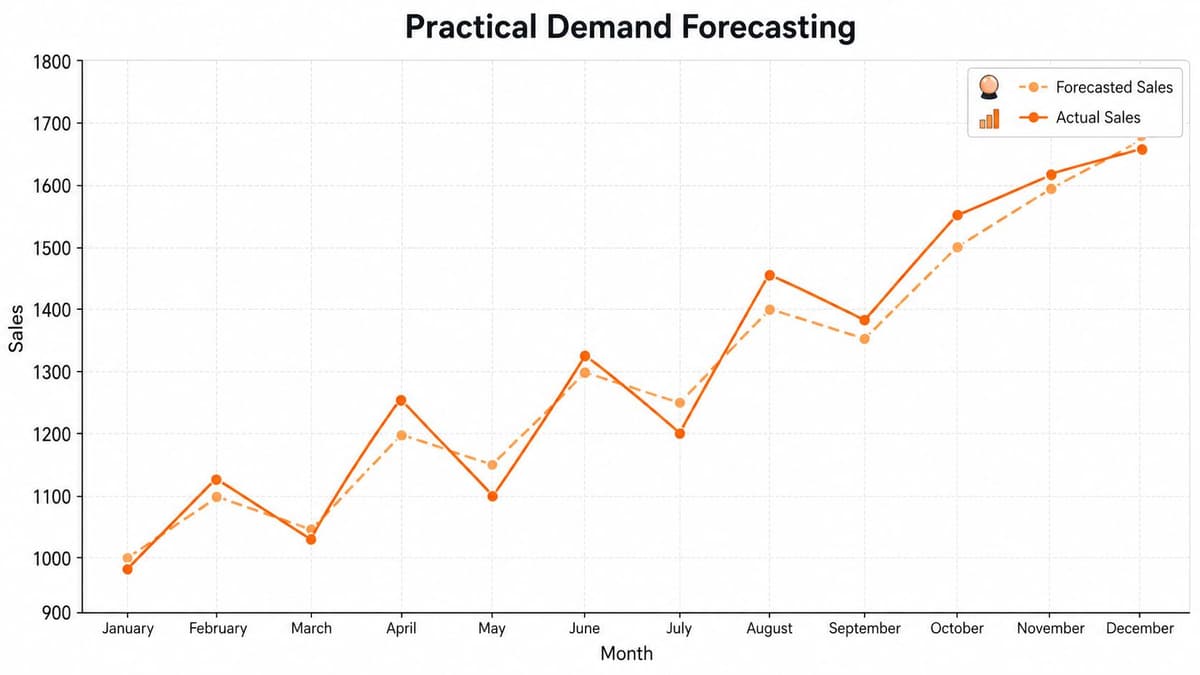
Start with a forecast your team will maintain. For most Shopify brands, that means a simple SKU-level model built from recent velocity, then adjusted for the few things that materially change demand. Promotions. Launches. Email sends. Paid media spikes. Seasonality. Wholesale anomalies. Skip the academic supply chain theater. You need a forecast that helps you place the next PO with confidence and protects cash.
Use this order:
- Start with recent sell-through: Base the forecast on what the SKU has sold recently, not what you hoped it would sell.
- Adjust for planned demand drivers: Add expected lift from campaigns, product drops, bundles, and seasonal moments.
- Strip out fake demand: Remove one-off spikes from bulk orders, liquidation pushes, or viral events that will not repeat.
- Use product-level assumptions: Forecast by SKU. Category-level guessing hides problems until they get expensive.
- Update fast: New SKUs and changing trends need weekly revisions, not quarterly optimism.
For new products, use analogs. Match against similar SKUs by price point, product type, channel mix, and launch pattern. Then replace those assumptions quickly once live sales come in. Founders wait too long to revise launch forecasts. That is how slow movers pile up and cash gets trapped on shelves.
The forecast also has to reflect what marketing is about to do. If growth plans a heavy push and operations hears about it after the email goes out, the problem is management, not forecasting. Clean reporting helps. If your team is still stitching together demand trends across disconnected tools, this guide to analytics in ecommerce is a useful reference.
#Clean the demand signal before you trust it
Forecast quality rises or falls on data hygiene.
The practical fix is boring, which is why so many brands skip it. Review the inputs before you review the model. Microsoft's demand planning guidance stresses data validation and cleanup before forecasting because planning errors usually start with incomplete or distorted transaction history. That matches what happens in DTC. If returns, inventory adjustments, and stockouts are mixed into your sales history without context, your forecast will misstate real demand and your buy will be wrong.
A neglected issue is imperfect inventory. As noted in ScienceDirect's discussion of imperfect-item inventory models, damaged, returned, or defect-prone inventory can distort demand signals, making traditional reorder formulas overstate sellable inventory and understate effective stock risk. Founder-led brands miss this constantly. The key question is not how many units the system shows. It is how many units you can sell.
Returned units are not demand. Damaged units are not available stock. If your system counts them as both, your forecast is wrong before you place the PO.
Run these checks before you trust any number:
- Returns: Forecast from net sell-through, not gross orders.
- Damaged or quarantined stock: Remove unsellable units from available inventory.
- Stockout periods: Mark days or weeks when the product was unavailable so you do not mistake constrained sales for weak demand.
- Bulk anomalies: Flag wholesale orders, bundle clearouts, and one-time spikes that should not shape the baseline.
- Channel shifts: Separate demand changes caused by a new marketplace, retail account, or major campaign from normal repeat demand.
You do not need certainty. You need a forecast that is directionally right, updated often, and tied to sellable inventory, not wishful inventory. That 80/20 approach is what keeps founder-led Shopify brands in stock on the products that matter without tying up cash in the ones that do not.
#Set Smart Reorder Points and Safety Stock
Forecasts answer what you expect to sell. Reorder points answer when to buy again. Safety stock answers how much pain you're willing to prevent.
Many stores often approach inventory without discipline. They reorder when they feel nervous, when a warehouse manager pings them, or when a supplier asks for a PO. That isn't inventory management. That's improvisation.
#Use service levels on purpose
The point of safety stock is simple. It protects revenue when reality doesn't follow the plan.
A common formula from NetSuite's inventory optimization overview is safety stock = z-score × square root(lead time) × standard deviation of daily demand. The same source notes that a 95% service level corresponds to a z-score of about 1.65, while an 85% service level uses about 1.04. That's useful because it forces you to make tradeoffs explicitly.
Put differently:
- A-items: Give them a higher service level because stockouts are expensive.
- B-items: Use a moderate service level.
- C-items: Accept more risk. Don't waste cash protecting mediocre SKUs.
Here's the concept in plain English:
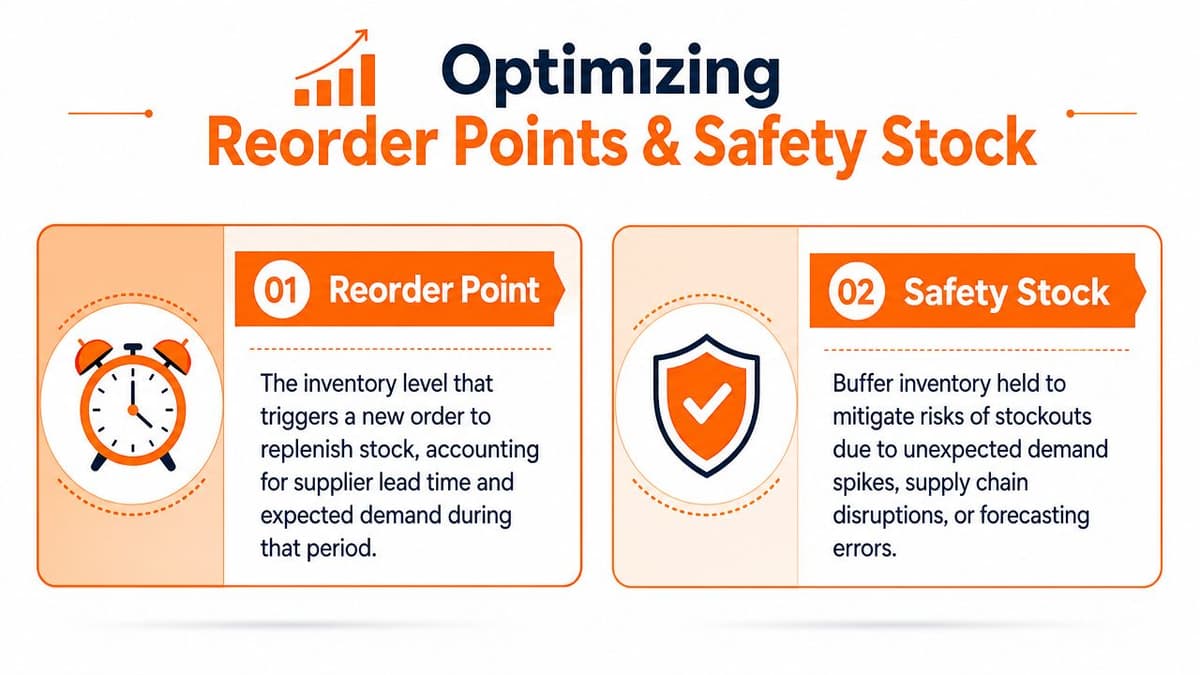
Reorder point combines two things:
- Lead time demand: What you expect to sell while waiting for replenishment.
- Safety stock: The buffer for uncertainty.
A helpful benchmark from ThoughtSpot's inventory optimization techniques is that many teams pilot only 1–2 methods first, often ABC analysis plus safety stock management on top SKUs, because companies get into trouble when they try to optimize everything at once.
#A spreadsheet example that works
Keep this practical. Build one tab per A-SKU.
For each product, track:
| Input | What to enter |
|---|---|
| Average daily demand | Recent net units sold per day |
| Demand variability | Standard deviation of daily demand |
| Lead time | Supplier or replenishment lead time in days |
| Service level | Higher for A-items, lower for C-items |
Then calculate safety stock using the formula above. Add that to lead time demand and you have your reorder point.
If you want a walkthrough before you set this up, this short explainer is worth a look:
Another benchmark sometimes used in optimization frameworks is Service Level × ADLT × Standard Deviation of Demand During Lead Time, as summarized in the earlier ThoughtSpot reference. The exact formula matters less than the operating discipline behind it. Pick one method, apply it consistently, and review it when lead times or demand patterns change.
Don't set one blanket service level for the entire catalog. That's how brands end up overprotecting weak SKUs and underprotecting the products that pay the bills.
#Prioritize Actions by Dollar Impact
A long inventory report is a distraction. You don't need more alerts. You need a ranking of which problem is costing the business the most money right now.
That means every inventory decision should compete on dollar impact. Not units. Not feelings. Not how loudly someone complained in Slack.

#Founders should solve the most expensive problem first
The two costs that matter are carrying cost and stockout cost.
Carrying cost is the cash drain from inventory that sits too long. Stockout cost is the margin you lose when a customer wants to buy and you can't fulfill. Both are real. But they aren't equal for every SKU.
The broader payoff is substantial. According to Salesforce's inventory optimization guide, global retailers adopting data-driven inventory optimization practices can reduce inventory carrying costs by roughly 15–25% while simultaneously improving service levels. The same source notes that every percentage point improvement in inventory turnover and reduction in days on hand can translate into measurable revenue and margin upside without additional sales volume. That's why this deserves founder attention.
If your team needs a cleaner way to organize actions by business impact, a useful companion idea is building a data analytic dashboard that ranks issues by the money attached to them instead of by raw activity.
#A quick triage table
Use this logic every week:
| Situation | What it usually means | Priority |
|---|---|---|
| A-item near stockout | Immediate revenue and margin risk | Highest |
| C-item sitting for months | Cash trapped in low-productivity stock | High |
| B-item with stable sell-through | Monitor, no panic | Medium |
| Returned or damaged units inflating inventory | False sense of coverage | High |
Here's my opinionated rule set:
- Protect your winners first: Hero products fund payroll, acquisition, and repeat purchase.
- Cut weak inventory faster than feels comfortable: Waiting for a miracle usually ends in markdowns anyway.
- Ignore vanity complexity: Don't spend three hours fine-tuning reorder logic on a product that barely sells.
- Escalate anything with real margin consequences: If a stockout or overstock event changes cash position materially, it goes to the top.
Most brands don't have an inventory problem. They have a prioritization problem disguised as an inventory problem.
#Use Inventory to Drive Growth Not Just Fulfill It
Inventory isn't just there to satisfy orders. It can shape demand if you're willing to use it actively.
Operators who treat inventory as purely operational leave money on the table. The smarter move is to use stock position to influence merchandising, offers, and product packaging. That turns inventory optimization into a growth lever, not just a control system.
#Turn slow stock into marketing fuel
Your C-items don't need another quarter of patience. They need a plan.
Three moves work well for founder-led brands:
- Bundle slow with strong: Pair a fast-moving A-item with a slower B-item to increase perceived value and move more total units.
- Run targeted clearance offers: Use email, SMS, or post-purchase offers to turn dead stock back into cash.
- Segment imperfect inventory: Returned-box damage, cosmetic defects, or refurbished units can be sold to the right audience if the economics work.
This is especially important when sellable inventory and book inventory aren't the same. As covered earlier, imperfect items create false confidence. A separate disposition path for that stock keeps your main forecast cleaner and your cash conversion sharper.
#Use product strategy to protect cash conversion
A lot of founders think growth means buying deeper. Often it means buying smarter.
If you can move inventory faster through bundles, accessory attachments, and controlled promotions, you improve the cash cycle without chasing more volume. That matters because the healthiest ecommerce businesses don't just grow revenue. They shorten the time between cash out and cash back. This explainer on the negative cash conversion cycle is useful if you want to think about inventory through that lens.
A practical example:
- Your A-item has reliable demand.
- Your B-item is decent but sluggish.
- Your C-item is clutter.
Don't reorder C. Test a bundle with A plus B. Use C as a limited-time threshold gift only if it helps recover cash and warehouse space. Inventory should support merchandising decisions, not sit passively waiting for someone to rescue it.
The common assumption is that inventory exists to fulfill demand. Better operators use inventory to shape profitable demand.
#Your Inventory Optimization Checklist and Playbook
It's Monday morning. One top seller is closer to stocking out than you thought, two slow movers are tying up cash you need for next month's PO, and nobody on the team knows who is supposed to make the call. That is how inventory problems usually show up in founder-led Shopify brands. Not as a theory problem. As a cash problem.
The fix is a simple operating cadence your team can keep. Skip the supply chain textbook. Run a weekly process that protects cash, catches risk early, and forces clear decisions on what to buy, hold, or kill.
#Your this-week checklist
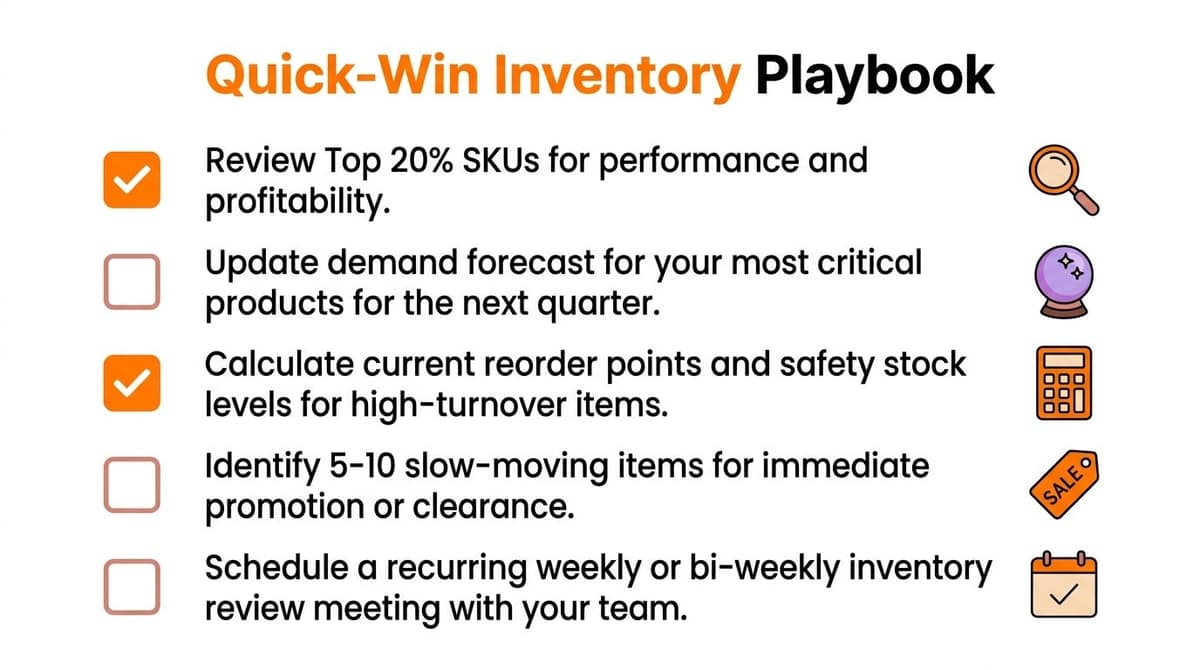
Start with the few actions that change dollars, not the ones that make your spreadsheet look impressive.
- Classify your catalog: Run ABC segmentation if you have not done it yet.
- Review A-items by hand: Confirm sellable inventory, inbound dates, and reorder timing for the SKUs that matter most.
- Flag cash traps: Identify slow movers, dead stock, and anything you should stop reordering now.
- Clean inventory inputs: Fix returns, damages, and duplicate SKU issues before you change forecasts or reorder points.
- Assign one owner: One person owns the weekly review, the decisions, and the follow-through.
If you want to tighten the rest of your operation too, this guide for Shopify store owners is worth reading. Inventory waste usually sits next to preventable shipping, staffing, and process costs.
#The operating rhythm that keeps inventory under control
Use a weekly review for decisions. Use a monthly review for policy changes.
Your weekly meeting should answer four questions:
- Which A-items could stock out soon?
- Which slow movers need markdowns, bundles, or liquidation?
- What changed in demand, lead times, or sellable stock?
- Which purchase decisions have the biggest cash impact this month?
Keep that meeting tight. If a SKU does not affect revenue, margin, or cash in a meaningful way, do not let it eat the agenda.
Monthly, update your forecast, reset reorder points where needed, and challenge the assortment itself. Some SKUs do not need better planning. They need to be discontinued. Founder-led brands waste too much time trying to optimize products that should have been cut two quarters ago.
Tooling matters less than consistency. Shopify exports and a disciplined spreadsheet can work. An ERP can work. A reporting layer can work. Arlo is one option for founder-led teams because it produces a weekly AI-driven report that surfaces product and revenue signals, then ranks actions by urgency and dollar impact. That matters because the goal is not better reporting. The goal is faster, better inventory decisions that protect cash.
Good inventory management is repetitive by design. Review, decide, reorder, liquidate, repeat.