
Team Capacity Planning: A Practical Guide for DTC Founders
By Arthur Falcone · Founder of Arlo
You're three days from a flash sale. The inbox is already loud, and the only person who can write the emails is also the person answering tickets and chasing a late shipment. The calendar says everyone is booked. Nothing on it says who can take the launch.
That is the trap in team capacity planning for a lean DTC brand. One person covers marketing, support, and ops. A full book looks productive until a campaign lands and nobody has slack. Count usable hours, then demand, then the gap. Decide whether to pause work, buy a few weeks of help, or hire. Put it on one sheet you update every Monday.
#Table of Contents
- Start With Usable Hours, Not Headcount
- Forecast Campaign, Ops and CX Workload
- Calculate the Gap Between Supply and Demand
- Plan Buffers and Reforecast Volatile Work
- Choose Hires, Freelancers or Reprioritized Work
- Confirm Your Capacity Plan This Week
#Start With Usable Hours, Not Headcount
Say you have four people and you treat that as four full weeks of output. A marketer on a 40-hour contract does not have 40 hours to assign. Meetings, admin, support tickets, training, and leave eat the week before any campaign brief gets touched. Headcount is a payroll number. It is not a production number.
The Project Management Institute draws the line cleanly. Capacity is the amount of time a resource has available for assignment to tasks. Utilization is how much of that capacity is used. PMI also treats an enterprise resource pool, a list of named people who may be allocated to project work, as an early step, and it allows generic resources such as "marketing analyst" before you name a person. For a small brand, that generic role is the right unit. A shared job gets counted once, not once per name on the org chart.
#Four steps before you assign anything
- List contracted hours. Write one row per role with the weekly hours on the contract or, for you, the hours you show up.
- Subtract recurring non-task time. Standing meetings, reporting, and inbox triage come off first. Those hours are already spent.
- Subtract an absence allowance. Take about 5 to 10 percent of hours across the year for leave, sick days, and the week nobody plans for.
- Record usable hours per role. If two people share customer experience, you still have one CX row. Skills and demand attach to the role, not to a head.
| Role | Contracted hours a week | Main recurring deductions |
|---|---|---|
| Founder who runs marketing | 50 | Leadership meetings, finance and supplier calls (15-20 h) |
| Part-time email and CX lead | 25 | Ticket queue overhead, training and leave (3-5 h) |
| Full-time ops coordinator | 40 | Fulfillment exceptions, carrier calls and admin (8-10 h) |
| Paid media specialist | 40 | Creative reviews, reporting and tool setup (6-8 h) |
Deductions land between about 15% and 40% of contracted time, depending on the job. The founder who runs marketing loses the most, often 15 to 20 hours before a single ad or email is touched. A 50-hour week can leave the mid-30s. A 40-hour ops seat often leaves about 30.
Practical rule: If the usable-hours column is blank, you do not have a plan. You have a headcount story.
Open one tab. One row per role. Fill usable hours before you look at next week's campaigns.
#Forecast Campaign, Ops and CX Workload
Supply is only half the sheet. Demand is every recurring task in campaigns, operations, and customer experience, including the work that never gets a calendar block.
Campaigns cover launch briefs, creative reviews, weekly paid media optimization, and reporting. Operations covers inventory reorders, supplier emails, and fulfillment exceptions. CX covers support tickets, returns, and review responses. Forgotten work sits in the same pile. Klaviyo flow maintenance and carrier-claim chasing rarely appear on a board, yet they consume real hours. Pull the last four weeks of inbox and calendar and write down anything you did twice.
#Turn each task into a weekly number
Give every task a unit: per campaign, per active channel, per flow, per 100 orders, per 100 tickets, or per reorder. Estimate hours per unit, then multiply by weekly volume. A seasonal launch that needs 24 hours should be spread across the weeks before the date. Dropping all 24 into launch week is how a "fine" month becomes a broken one.
| Workload | Unit | Hours per unit | Weekly volume | Weekly hours |
|---|---|---|---|---|
| Campaign brief and launch | per campaign | 12 | 2 | 24 |
| Paid media optimization | per active channel | 3 | 3 | 9 |
| Email flow and segment updates | per flow | 2 | 4 | 8 |
| Refund and order exception handling | per 100 orders | Average of last 5 | 6 | Average times 6 |
| Support ticket handling | per 100 tickets | 4 | 5 | 20 |
| Inventory reorder and supplier emails | per reorder | 1.5 | 4 | 6 |
Two rows still need your own clock. Time the last five refunds in the order log and the last five reorders in email, average them, then multiply by weekly volume. The 1.5 hours on reorders is only a starter if four reorders really did take six hours last month. Replace it the moment your log says otherwise.
On CX, a support ticket analysis of themes and handle time stops you from guessing "a few tickets" when the queue is 20 hours. If the gap is ticket volume rather than judgment, a bench of Latin American virtual assistants can take queue work off the person who also owns flows, without pretending that person gained a second shift.
Total weekly demand hours for campaigns, ops, and CX. Write each total beside the usable hours for that role. That pairing is the only comparison that matters next.
#Calculate the Gap Between Supply and Demand
A gap is not a vibe. It is demand minus usable hours, by function, for the weeks in front of you.
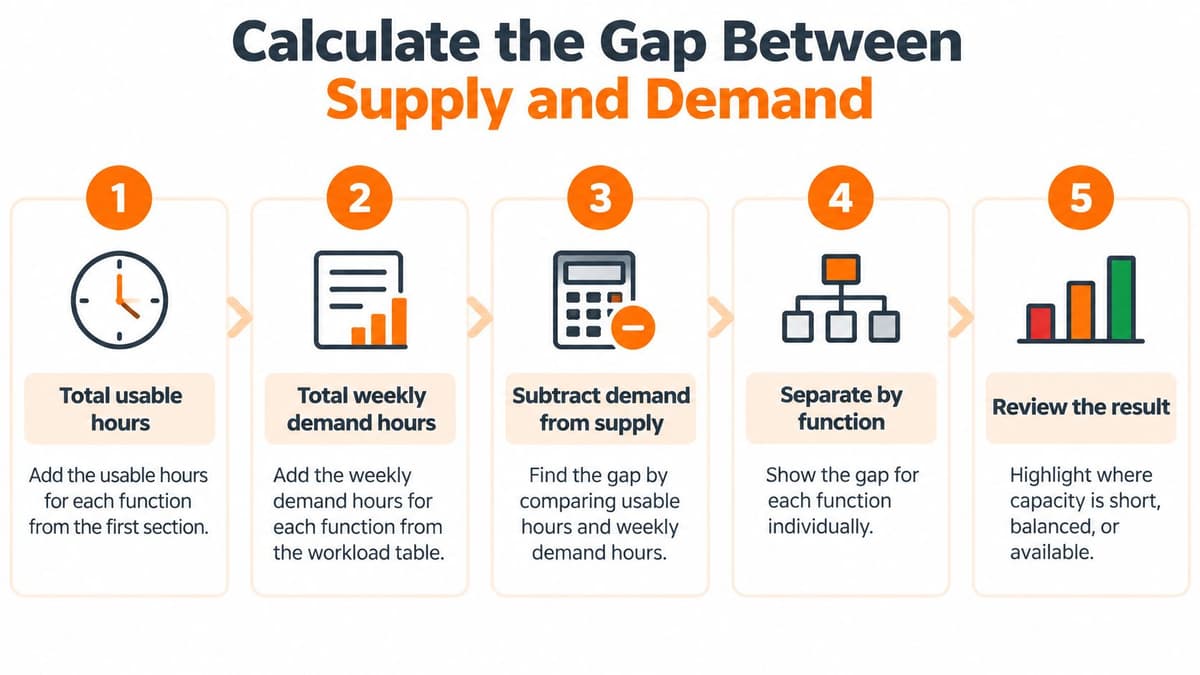
#Five steps, then one number per function
- Total usable hours for each function from the role sheet.
- Total weekly demand hours for each function from the workload table.
- Spread one-off projects. Divide each project's hours by the weeks left before its deadline, and add that slice to this week's demand.
- Subtract supply from demand. A positive number is a gap. A negative number is spare capacity on paper.
- Convert the gap to full-time equivalents. Divide by usable hours per full-time person, roughly 30 to 35, not by a 40-hour contract.
#A marketing week that looks almost fine
Say marketing has 62 usable hours and 91 hours of recurring work plus the weekly slice of a launch. Demand minus supply is 29 hours, about 0.9 FTE. That is not "a bit busy." It is most of another person, and any single extra launch or creative redo pushes the week over.
A few hours of gap matters more than the percentage suggests. The person who owns ads also owns the exception that shows up at 4 p.m. Spare capacity on the sheet often disappears once those interruptions are real. I would rather see a small negative number, true spare, than a zero that only works if nothing breaks.
Mark each function in one of three bands: under 10%, 10 to 30%, or over 30% of that function's usable hours. Write the gap figure next to the band. You will use the band, not a story about how hard everyone is working, when you choose a response.
A team at zero spare cannot absorb a sudden campaign. The sheet already told you that. The sale just made it obvious.
#Plan Buffers and Reforecast Volatile Work
A static plan dies on the week a post takes off or an ad account gets disapproved. You had reorders, a content batch, and a "quiet" CX queue. By Wednesday the queue doubled and the media buyer spent the afternoon rebuilding creatives. The quarterly number never moved.
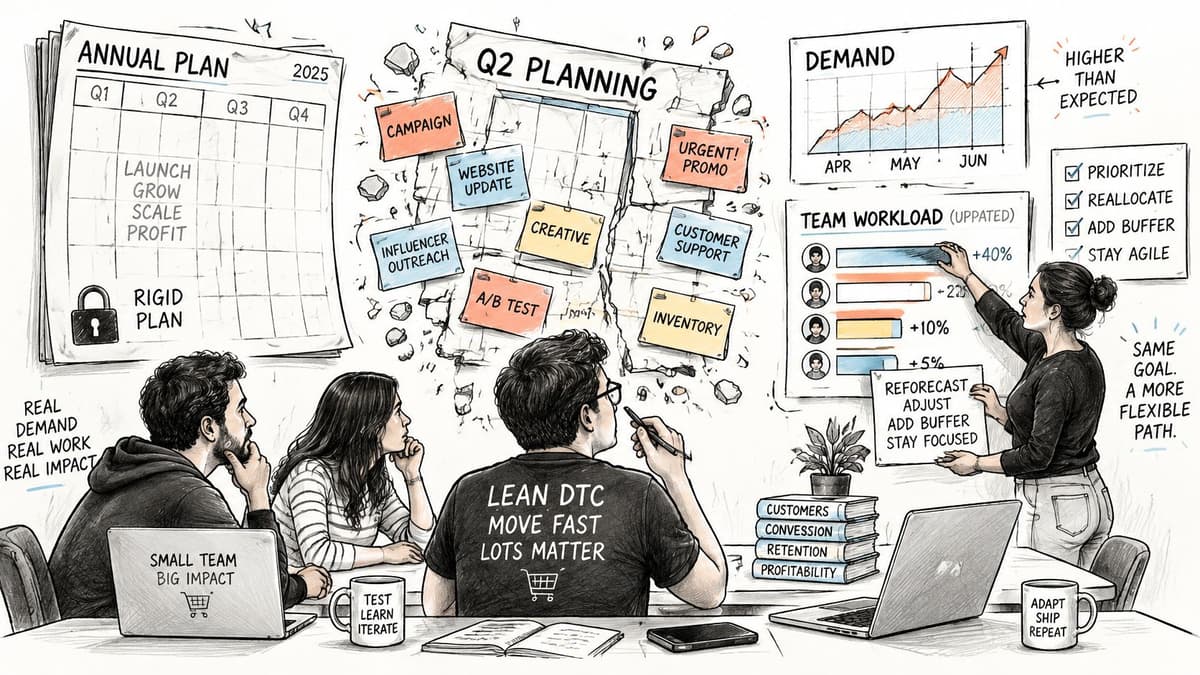
A Tempo workforce planning note found that 46% of enterprises still update capacity plans only quarterly or annually. On a store where one viral afternoon rewrites the week, that cadence is too slow. Demand also moves with volume, complexity, deadlines, and skill, not with headcount. Maxing utilization makes this worse. A team booked to the last hour looks efficient and cannot take a revenue-critical change.
#Three kinds of work, three buffers
Split the sheet so slack has a name.
- Committed work has a fixed date: a launch, a reorder cutoff, a promised creative. Start with about 10% buffer.
- Interruptible work is support and ad fixes. Start at 20 to 25%. These hours will be stolen.
- Exploratory work is a new channel test or an offer experiment. Start at 30 to 40%, because the first pass is usually wrong.
These are tuning starts, not laws. For each function, write a three-point estimate: best case, likely case, worst case. Plan the week on the likely case and keep the worst case visible so a spike is a number you already named.
Reforecast CX and paid media every week. Reforecast predictable work such as reorders monthly. One person covering marketing, merchandising, and ops will feel a bad buffer immediately, because there is no second owner to absorb it.
A short walkthrough of rolling capacity beats another annual template. Use it to pressure-test your own sheet, not to copy a corporate calendar.
- Keep the buffer on the sheet, in its own column, so it cannot hide inside "misc."
- Review any week the buffer ran out. If it ran out twice, the percentage is too low or the work is mislabeled.
- Never plan above 90% of usable hours. The last 10% is how you survive a bad Tuesday.
Add the buffer column and a reforecast date. If the date is blank, the plan is already stale.
#Choose Hires, Freelancers or Reprioritized Work
Match the fix to the shape of the gap. A small, pausable gap is a priority call. A spiky skill gap is rented help. A steady gap under about 20 hours a week can be a part-time hire. A full-time hire waits until the gap stays above 30 hours a week for three months or more.
| Option | Best when | Time to productive | Cost pattern | Main risk |
|---|---|---|---|---|
| Reprioritize existing work | Gap is under 10% and some tasks can pause | 1 week | No added cost | Quality drops on the paused work |
| Freelancer or agency retainer | Gap is spiky or needs one skill for a few weeks | 1-3 weeks | Pay per project or hour | Onboarding time and handoff gaps |
| Part-time hire | Gap is steady and under about 20 hours a week | 4-8 weeks | Salary plus overhead | Hard to reverse if volume falls |
| Full-time hire | Gap above 30 hours a week for 3 months or more | 2-4 months | Fixed salary plus benefits | Largest commitment and slowest exit |
#Check AI before you cut a role
Freed hours are not a smaller team. A 2026 World Economic Forum write-up of a global survey of 1,050 senior leaders found that 27% of organizations using AI reported productivity gains without measurable bottom-line impact, and 62% estimated AI had already created at least 10% workforce overcapacity. The same piece notes Richmond Fed corporate-executive survey evidence that firms expect employment to decline by less than 0.4% in 2026, with smaller firms anticipating modest AI-driven employment growth rather than broad substitution.
Count completed outcomes and revenue-linked results, not hours the tool "saved." Review, exceptions, prompt design, and bad data still sit with a person. If AI does free time, write a redeployment plan: experimentation, customer insight, or a decision that moves revenue. Do not delete the row because a draft got faster.
#How I would pick
Use a freelancer when the gap is a skill you need for a few weeks and can hand back. To hire a virtual assistant for inbox triage or claim chasing is often cheaper than pulling the founder off media. Reprioritize when the band is under 10% and a task can pause. A strategic planning framework helps you name which work is allowed to wait, so "pause it" is a decision and not a hope.
Part-time fits a flat gap you can see in the order log for a month. Full-time is the slowest exit, so the three-month test is the point. For each function, write the option and the trigger that would change it: refund rate past your line, launch date moved, or the gap shrinking under 10% for four straight weeks.
#Confirm Your Capacity Plan This Week
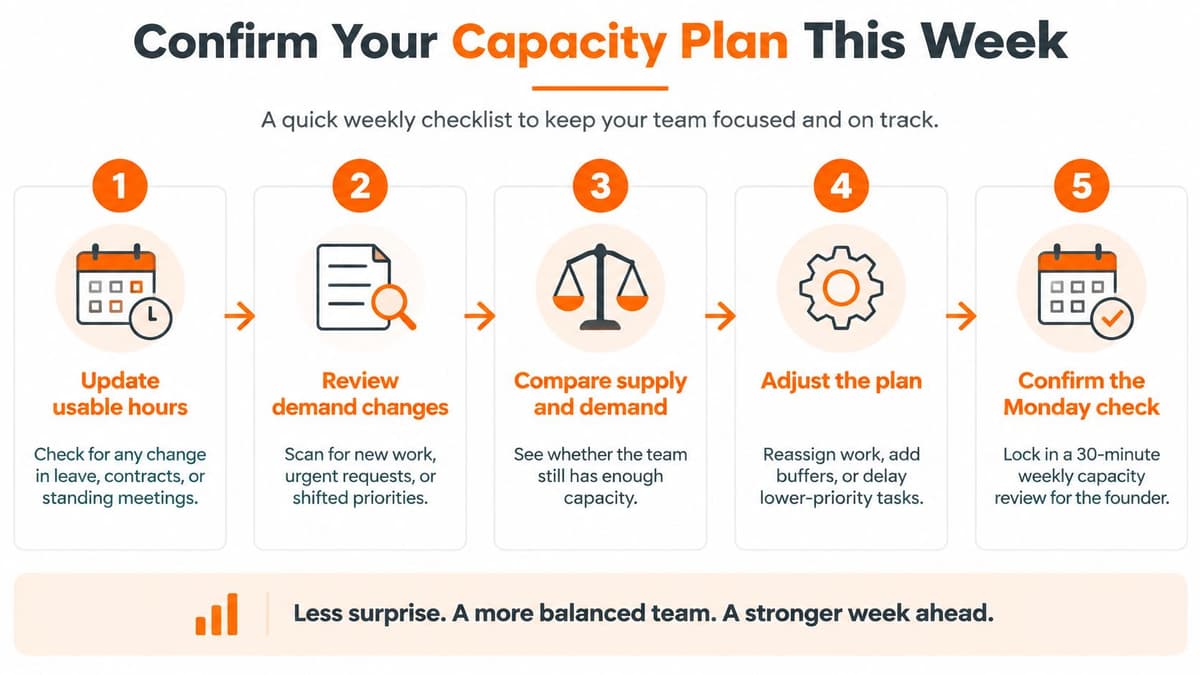
Run a 30-minute Monday check. Same time, same tab, founder in the seat. Sort rows by consequence before you touch a decision. A CX gap that threatens retention outranks a content gap every time.
#The Monday sequence
- Update usable hours for leave, contract changes, or a new standing meeting. If someone is out, the row changes today, not at month end.
- Refresh demand from last week's actuals, not last month's estimate. Tickets, reorders, and ad fixes should match what the tools logged.
- Recalculate the gap and the buffer for the coming four weeks, including any project slice that moved.
- Choose one response per function from reprioritize, freelance, part-time, or full-time. One choice. Not a menu you revisit on Thursday.
- Write one trigger that would change that choice next week. A refund rate past a set level, or a launch date that slips, is enough.
#One tab, six columns, shared
Use columns for function, usable hours, demand hours, gap, buffer, and decision, plus the trigger from step 5. Keep the sheet where you and any freelancer open the same numbers. A private copy goes stale the day someone else changes the queue.
At month end, read the last four decisions. Which triggers fired? Did the buffers hold? If a buffer failed every week, change the percentage or the owner, not the font on the sheet.
Pair the check with a weekly progress report so the capacity call sits next to what the store did. Each weekly report includes a performance breakdown, prioritized action items, and a section on what is working. Arlo ranks the weekly action items by urgency and dollar impact, which is the same sort order you want on the gap list: retention risk first, nice-to-have content last.
Capacity is a weekly check that updates the numbers and the decision together, not a one-time spreadsheet.
Arlo gives founder-led Shopify brands a short weekly read on what changed in the store, why it matters, and which move is worth the hours you have. That is the demand side of team capacity planning: fewer guesses about ads, flows, and conversion, and a clearer call on what can wait. See how the weekly brief fits your Monday check at Arlo.